
Best IPTV for Apple TV: Top Apps & Setup Guide (2026)
Apple TV plays IPTV beautifully — but only certain apps work, and the popular one everyone recommends isn’t even available. Here’s the accurate list.
The Apple TV is one of the best boxes you can run IPTV on — fast, gorgeous 4K, rock-solid tvOS. But there’s a catch most “best IPTV for Apple TV” lists get wrong: the app fans rave about, TiviMate, doesn’t exist on Apple TV. So let’s cut the misinformation and give you the apps that actually run on tvOS, plus a clean setup guide. If you also have other TVs, see our best IPTV for smart TV guide.
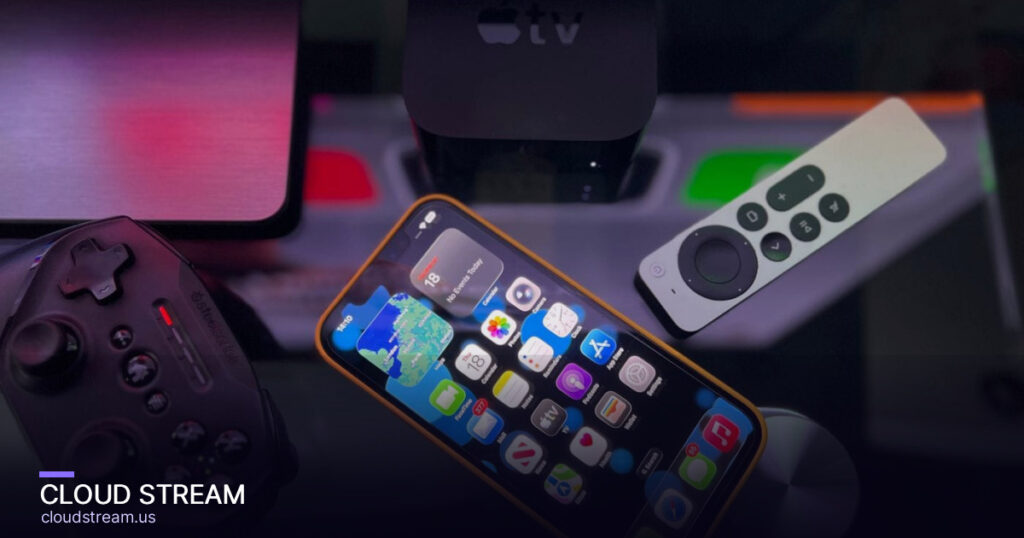
The best IPTV apps for Apple TV
These apps are verified to run on tvOS (the Apple TV operating system). All install straight from the App Store:
| App | Price | Best for |
|---|---|---|
| IPTV Smarters Player | Free | Most users — M3U + Xtream Codes, clean guide |
| iPlayTV | One-time (~$5.99) | A polished, reliable paid option |
| GSE Smart IPTV | Free / paid tier | Power users who want lots of settings |
IPTV Smarters Player is the go-to for most people: it’s free, supports both the M3U playlist and Xtream Codes login formats, and has a tidy EPG (TV guide). iPlayTV is a well-regarded paid app if you want something extra-polished. Any of these will pair with your provider’s login.
Why isn’t TiviMate on this list?
Because it genuinely isn’t available. TiviMate is an Android-only app — it runs on Android TV, Fire TV and Android boxes, but Apple never gets it. If a listicle tells you to “download TiviMate on your Apple TV,” it’s copy-pasted from an Android guide and is simply wrong. On Apple TV, IPTV Smarters Player is the closest equivalent for most users. (Curious how TiviMate compares elsewhere? See our TiviMate vs IPTV Smarters breakdown.)
Get a service that streams sharp on Apple TV
The app is only half the picture — you need a stable service too. Test Cloud Stream free on your Apple TV. No card required.
How to set up IPTV on Apple TV
It takes about five minutes:
- On your Apple TV, open the App Store and search IPTV Smarters Player. Install it.
- Open the app and choose to log in with Xtream Codes (username, password, server URL) or load an M3U playlist URL — your provider gives you these details.
- Enter the details. The app pulls in your channels and TV guide.
- Wait for the EPG to populate, then start watching.
Not sure what M3U or Xtream Codes mean? Our M3U & Xtream Codes guide explains both in plain English.
How to get 4K IPTV on Apple TV
Apple TV 4K is a superb 4K streamer, so make the most of it:
- Use an Apple TV 4K model (not the older HD-only box).
- Check your output: Settings > Video and Audio > Format — set it to 4K.
- Have the bandwidth: plan on ~25 Mbps for a stable HD stream and closer to 50 Mbps for 4K, on a strong (ideally wired or 5 GHz) connection.
- Confirm your service offers 4K feeds — the app can only show what the provider sends. Check the channel list.
Can you sideload IPTV apps on Apple TV?
Practically, no — and this is a key difference from Firestick or Android boxes. Apple TV only installs apps from the official tvOS App Store; there’s no easy sideloading of outside APKs like on Android. That’s actually good news: it means the apps you install are vetted and stable. Just pick from the verified App Store options above rather than hunting for workarounds that don’t exist.
Apple TV vs Firestick for IPTV: which is better?
If you haven’t bought a device yet, this is the real decision. Both play IPTV well, but they suit different people:
- Apple TV 4K — the smoothest, fastest experience with the best 4K and interface. The catch: it costs more, and you’re limited to App Store IPTV players (no sideloading).
- Amazon Firestick — much cheaper, and it lets you sideload any IPTV app (including TiviMate) via the Downloader app. The trade-off is a slightly slower interface and a busier home screen.
Rule of thumb: already in the Apple ecosystem and want the cleanest experience? Get the Apple TV. Want maximum app choice for the lowest price? The Firestick wins — see our Firestick setup guide.
Want buttery 4K on your Apple TV tonight? Start a free trial and test it in an App Store player in under 2 minutes — no card.
Frequently asked questions
What is the best IPTV app for Apple TV?
For most people the best IPTV app for Apple TV is IPTV Smarters Player. It is free on the tvOS App Store, supports both the M3U playlist and Xtream Codes login formats, and has a clean electronic program guide. iPlayTV is a strong paid alternative with a polished interface, and GSE Smart IPTV suits power users who want more settings. All three install directly from the App Store. The right choice also depends on your provider, so test your service in the app during a free trial before committing.
Is TiviMate available on Apple TV?
No. TiviMate is an Android-only app that runs on Android TV, Fire TV and Android boxes, and it is not available on Apple TV or tvOS. Any guide recommending TiviMate for Apple TV is mistakenly reusing Android instructions. On Apple TV, IPTV Smarters Player is the closest equivalent for most users, offering M3U and Xtream Codes support with a clean guide. If you specifically want TiviMate, you would need an Android-based device such as a Fire TV Stick or Android TV box instead of an Apple TV.
How do I set up IPTV on Apple TV?
Open the App Store on your Apple TV and install IPTV Smarters Player. Launch it and choose to log in either with Xtream Codes, entering the username, password and server URL your provider gives you, or by loading an M3U playlist URL. Enter the details and the app will pull in your channels and TV guide automatically. Wait a moment for the program guide to populate, then start watching. The whole process takes about five minutes and requires no sideloading or technical setup.
Can I get 4K IPTV on Apple TV?
Yes, if you use an Apple TV 4K model and your provider sends 4K feeds. Set your output under Settings, then Video and Audio, then Format to 4K. Make sure you have the bandwidth: plan on roughly 25 Mbps for a stable HD stream and closer to 50 Mbps for 4K, ideally on a wired or 5 GHz Wi-Fi connection. Remember the app can only display the quality the service provides, so confirm your IPTV service actually offers 4K channels before expecting them.
Can I sideload IPTV apps on Apple TV?
Not in any practical way. Unlike a Fire TV Stick or Android box, the Apple TV only installs apps from the official tvOS App Store, with no easy sideloading of outside APK files. This is by design and actually benefits you, because the available apps are vetted and stable. Rather than looking for sideloading workarounds that do not really exist on tvOS, choose from the verified App Store apps such as IPTV Smarters Player or iPlayTV, which cover everything most Apple TV users need.
The bottom line
For the best IPTV on Apple TV, install IPTV Smarters Player (free) or iPlayTV — and ignore any list pushing TiviMate, which isn’t available on tvOS. Set your Apple TV 4K to 4K output, ensure the bandwidth, and pair it with a solid service. Start a free Cloud Stream trial and test it on your Apple TV tonight.
Reference: Apple TV (Wikipedia).
“The only stable IPTV platform I've found — most others didn't last through my subscription.”
“Great service and always quick activation, and quick to respond to any question.”
“The server is stable — I had no buffering issues, even on my 1-day trial.”
- Cheapest IPTV in 2026: What Cheap Really Costs (Scams to Avoid)
- IPTV Free Trial: How to Test a Service Before You Pay (2026)
- Best IPTV Service in 2026: How to Choose the Right One
- IPTV USA in 2026: The Best US IPTV Service & How to Choose
- Best IPTV for Sports in 2026: Watch NFL, UFC, Soccer & PPV Live
- 4K IPTV in 2026: What It Really Means & How to Get True Ultra-HD Streaming
- How to Watch Lions vs Bills (TNF Week 2): Time, Channel & Stream
- How to Watch Canelo vs Mbilli: Date, Time & Live Stream (2026)
- How to Get IPTV: Beginner’s Guide to Start Watching in 10 Minutes (2026)
- IPTV on Roku (2026): What Actually Works + Why Firestick Is Better
- Arabic IPTV in the USA (2026): MBC, Rotana, beIN & 500+ Channels